Mac owners, finally
Embroidery software for Mac
For years, embroidery software only worked on Windows. If you own a Mac, you have almost certainly been told the same thing: buy a copy of Windows and run your embroidery software inside a pretend PC, on the real computer you already paid for.
Unzip2Stitch is a real Mac app. It runs natively. No Parallels, no Boot Camp, no second computer under the desk.
See Unzip2Stitch — $149 Buy it once. Own it forever. Regular price $249.
What that means in plain English
- Works on Macs made from about 2020 onwards
- Your Mac software needs to be macOS 11 or newer — if you have kept up with updates, you are fine
- Approved by Apple, so it opens without warnings
- Mac and Windows get the same tools and the same updates, on the same day
Got an older Mac? Email me before you buy and we will check it together. I would rather tell you it will not work than take your money.
What you can actually do with it
It is not just a place to look at your designs. It is where you make things with them.
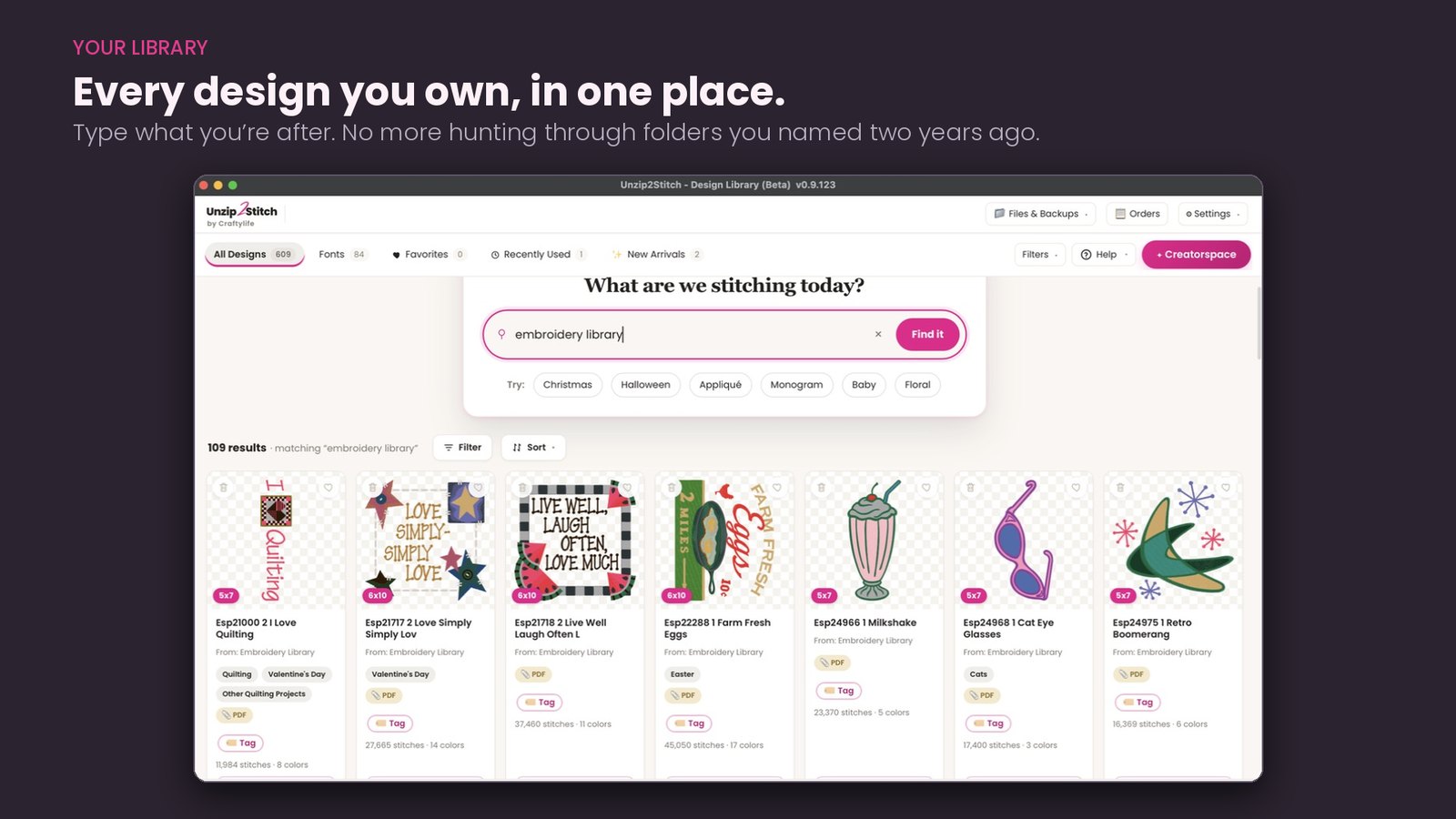
- Find every design on your Mac, including the ones still zipped and the ones buried in Downloads
- Merge two designs into one and add your own lettering
- Type with the alphabets you already own — the Font Manager turns 52 separate stitch files into one real, typeable font
- Monogram, recolor, arrange, and tune the density for your fabric
- Add a Pile Tamer background for towels and plush fabrics, so stitches sit on top instead of sinking in
- Save an SVG for your cutting machine, so appliqué fabric is cut for you instead of trimmed by hand
- Match your threads to real brands so the screen matches the machine
- Check it fits your hoop, preview the stitch-out, then export
The formats your machine reads
You do not need to know what a stitch file is called. Find your machine and Unzip2Stitch saves the right one.
| Your machine | The file it saves |
|---|---|
| Brother | PES |
| Baby Lock | PES |
| Janome | JEF |
| Husqvarna Viking | VP3 or HUS |
| Pfaff | VP3 |
| Bernina | EXP |
| Melco | EXP |
| Singer | XXX |
| Most commercial machines | DST |
And you only tell it once. When you set up Unzip2Stitch you tell it which machines you own, and it remembers. After that every design shows a For your machine button — click it and you get the right file. You never have to think about formats again.
Not sure which you have? Save it as DST — nearly every machine reads it.
Buy it once. Own it forever.
You pay once. There is no monthly fee, nothing to renew, and nothing stops working later. Early access is $149; the regular price is $249.
Questions Mac owners ask
Does Unzip2Stitch really run on a Mac without Windows?
Which Macs does it run on?
Is the Mac version behind the Windows version?
Will it open the zip files I download from design shops?
Can I use the embroidery fonts I already bought?
Is it a subscription?
You are not buying from a stranger
I am Lorna. For eight years I have answered embroidery questions every day in Embroidery for Beginners, my Facebook group of more than 50,000 members. Unzip2Stitch was built out of what I watched people there struggle with.
My name is on the digitizing, on the software and on that group. If something goes wrong, you know exactly where to find me — and so do fifty thousand other embroiderers.