Buy it once. Own it forever.
Unzip2Stitch
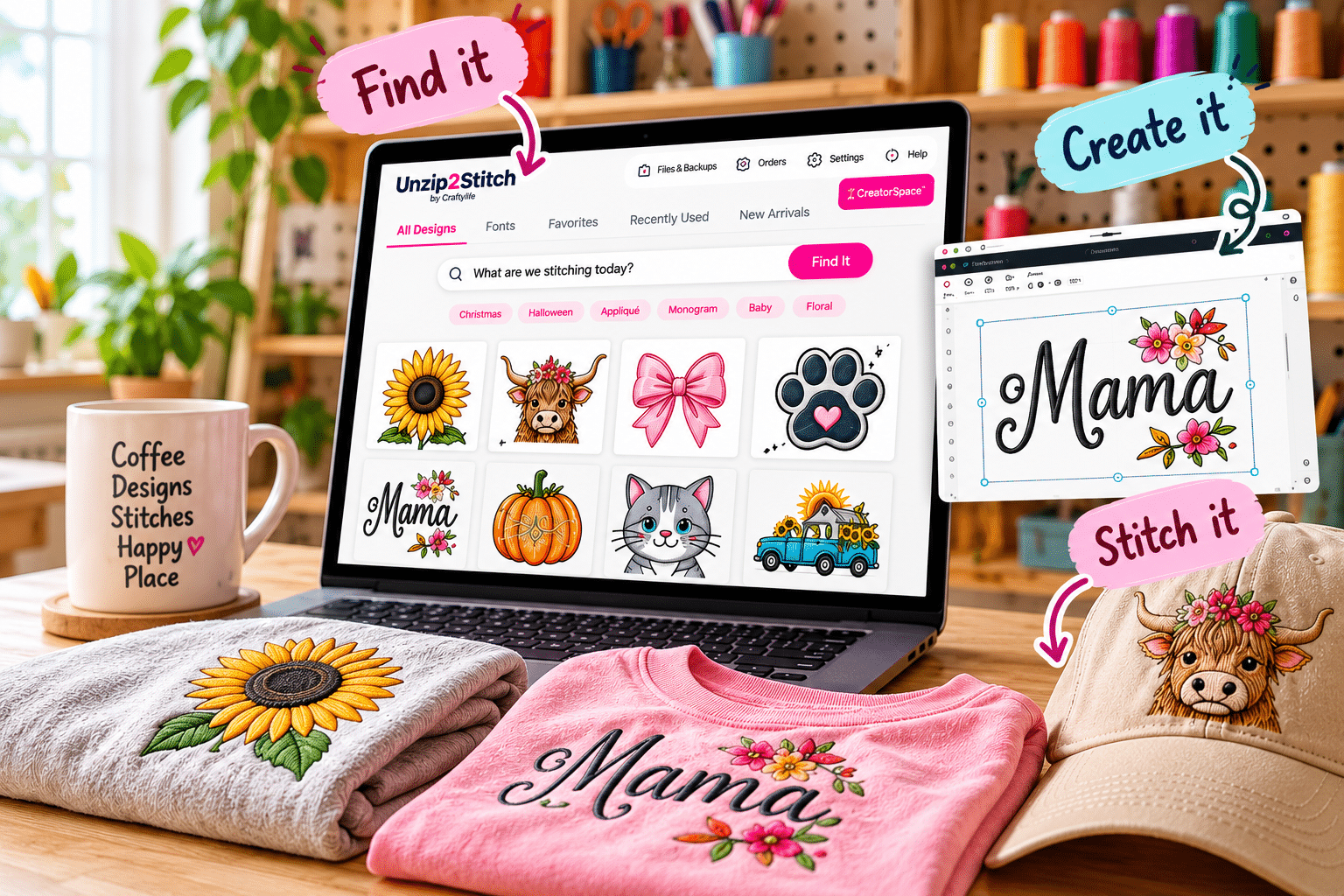
The embroidery studio you own. Find every design on your computer, organize it, create with it and stitch it. One program, on a Mac or a Windows computer. You buy it once and it is yours — there is nothing to renew.
$149 $249 early access
Get Unzip2Stitch See what it does
Runs natively on Mac and Windows · no subscription, ever
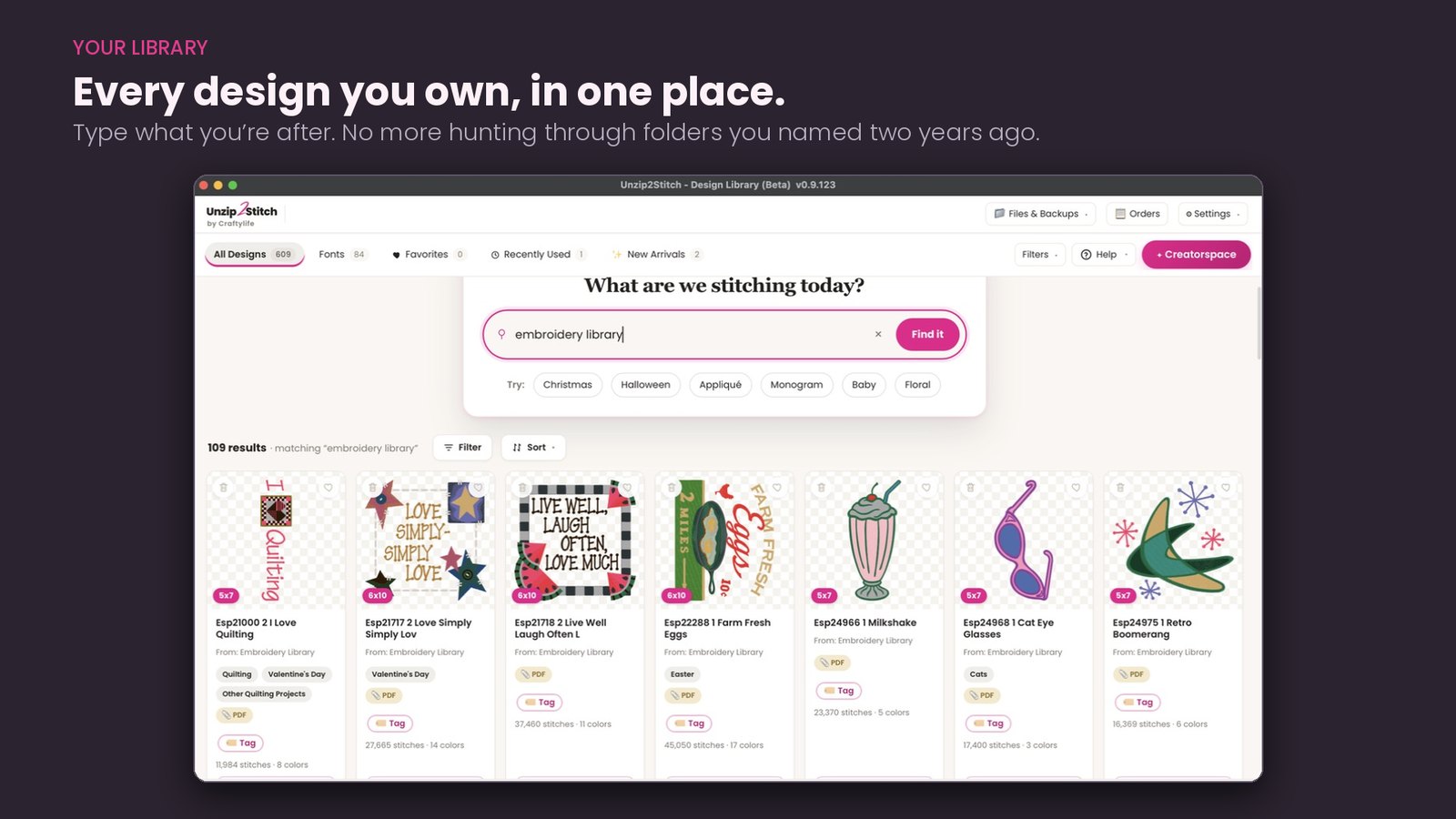
Every design you own, in one place
Type what you are after. No more hunting through folders you named two years ago. Narrow it down by hoop size, technique or subject. Your files are never moved — they stay exactly where they are.
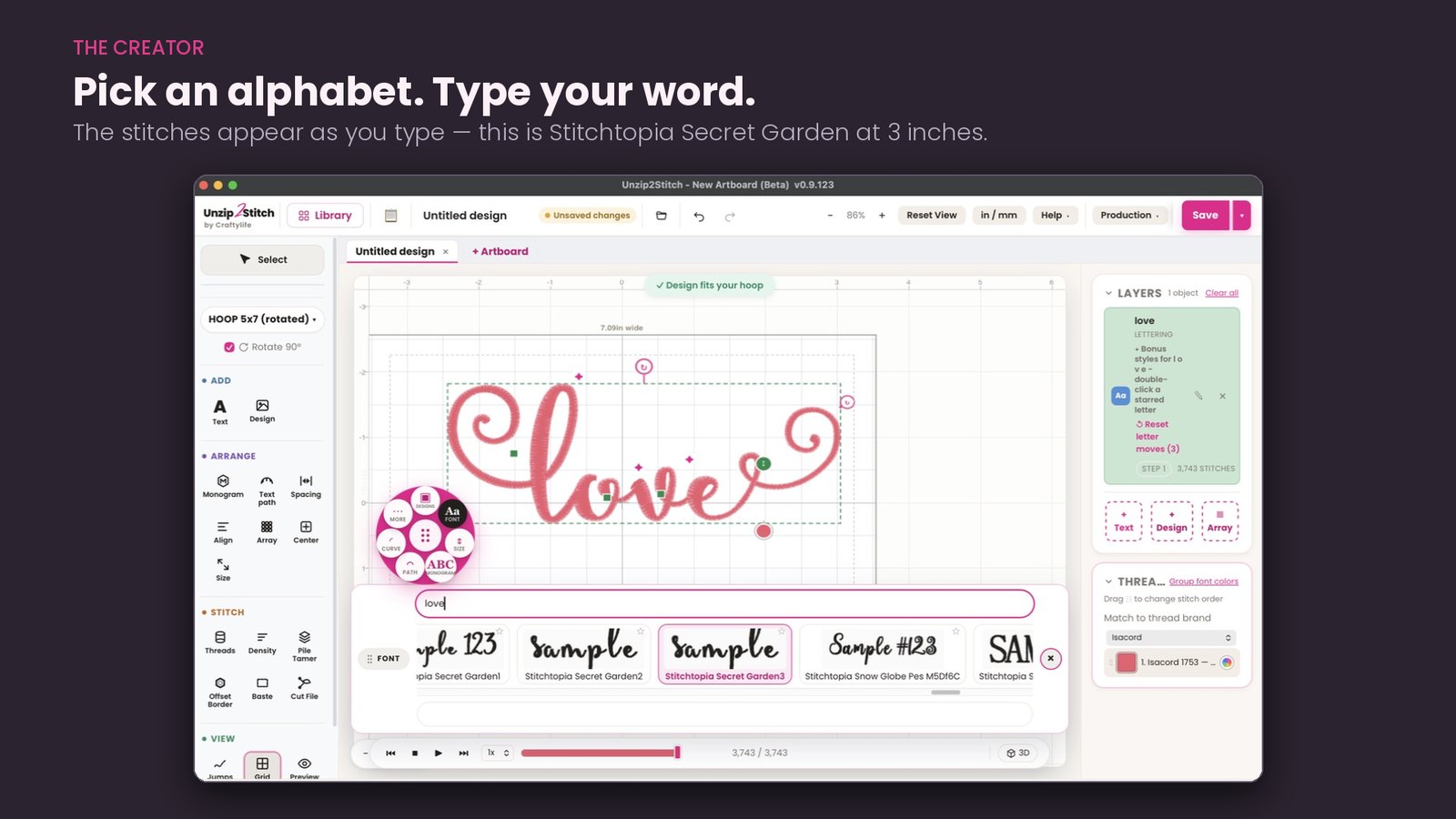
Type with the alphabets you already own
Embroidery fonts are not really fonts — they are 52 separate stitch files made to look like an alphabet. The Font Manager turns them into one real, typeable font.
Merge designs and make them yours
Put a name under a design you bought. Combine two designs on one hoop. Monogram it, curve it, recolor it — then save it as one file and stitch it once.
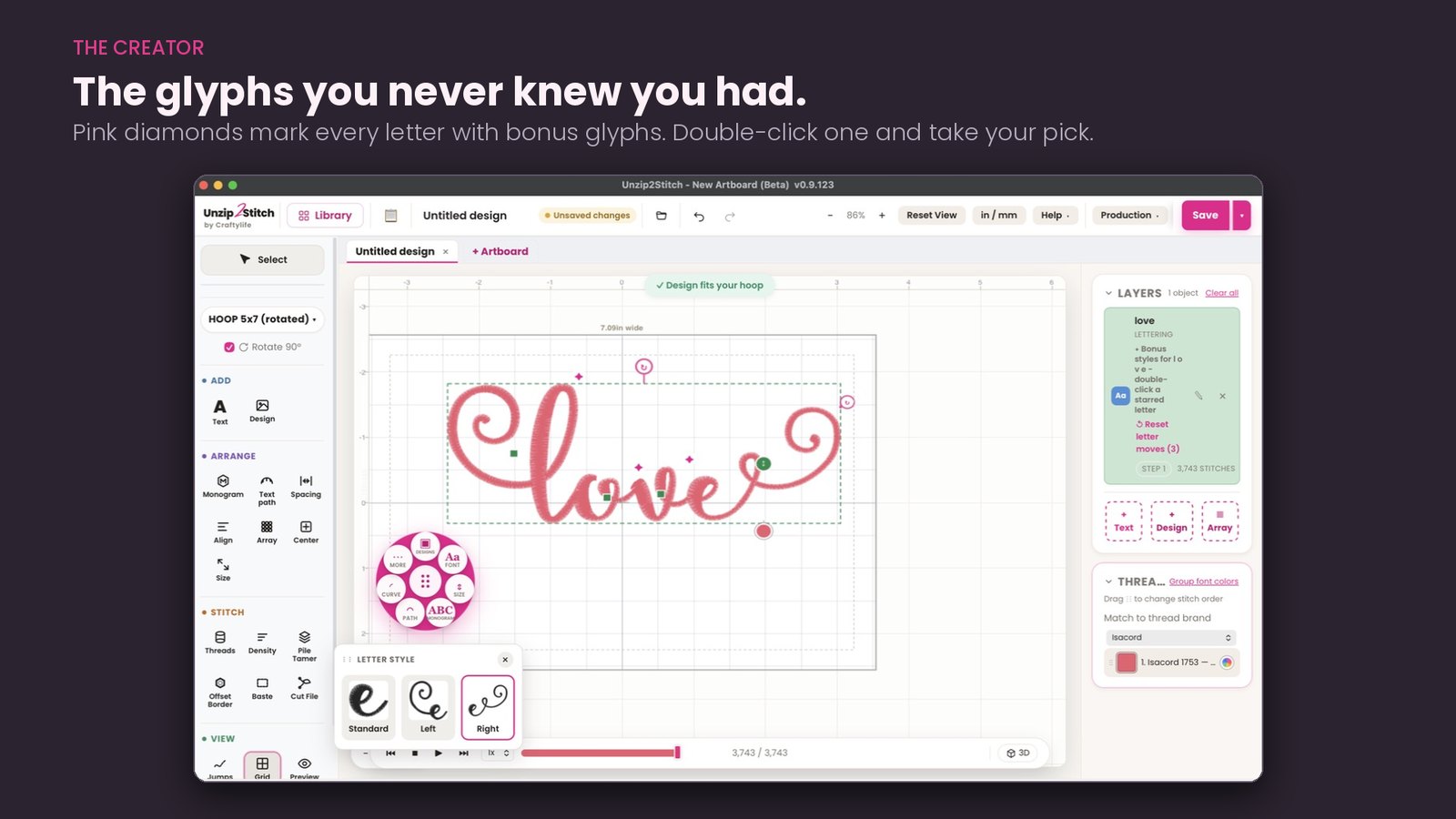
Match your threads to real brands
Isacord, Madeira, Brother, Sulky and more, so the screen matches the machine. Sort the color order and watch twenty thread stops come down to four.
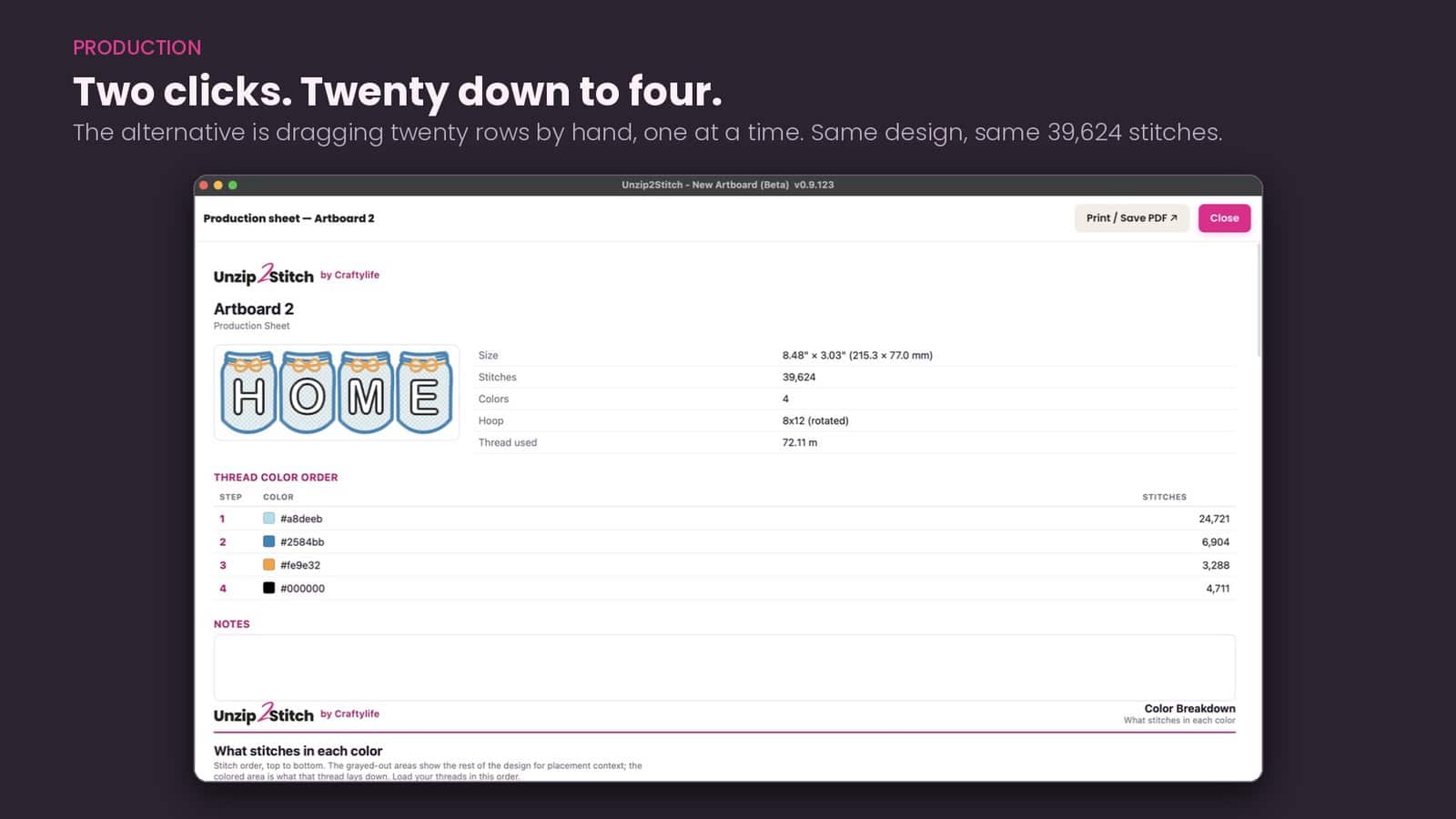
Know the job before you hoop it
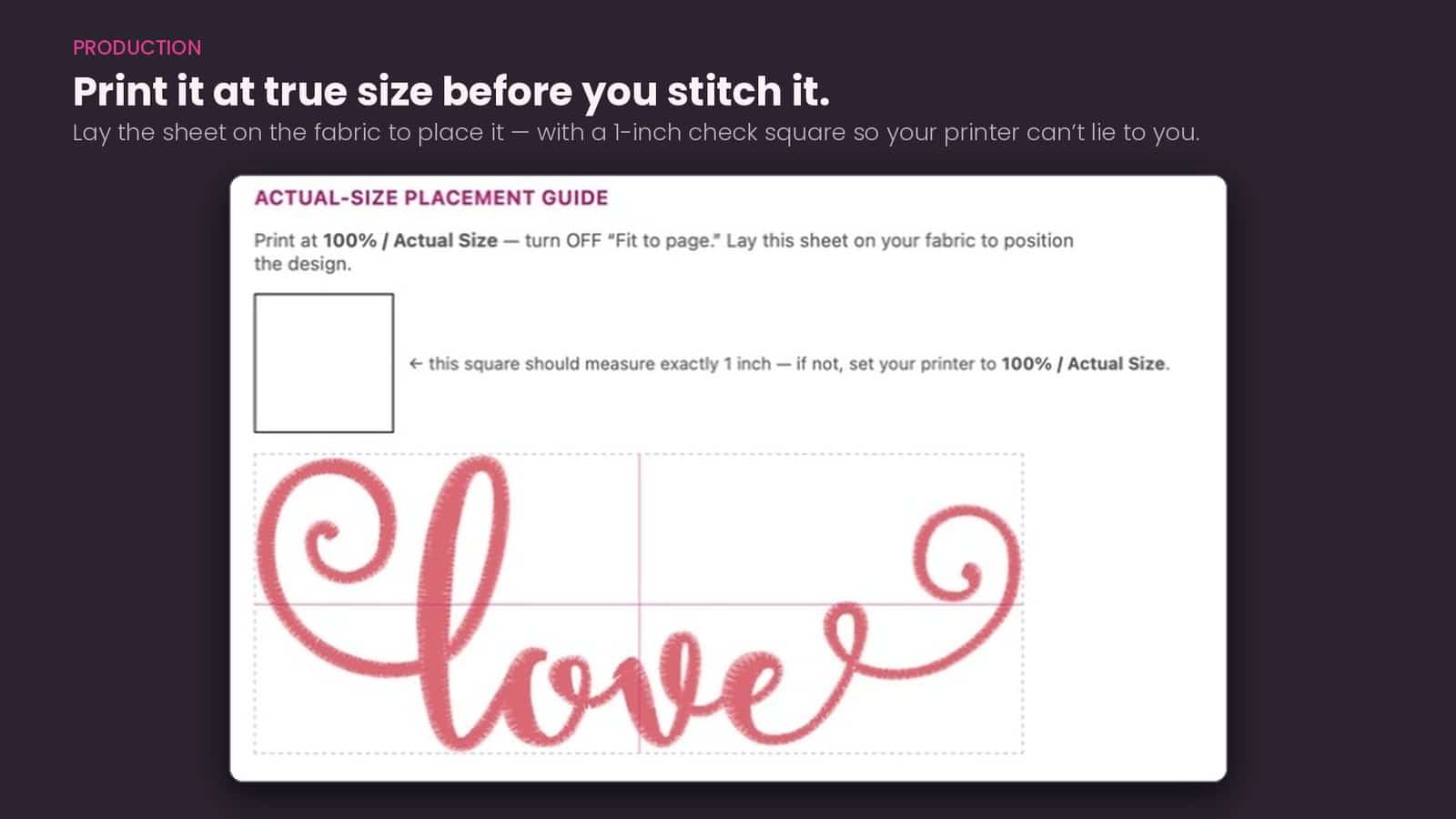
Print it at true size and lay the sheet on the fabric to place it, with a one-inch check square so your printer cannot lie to you.
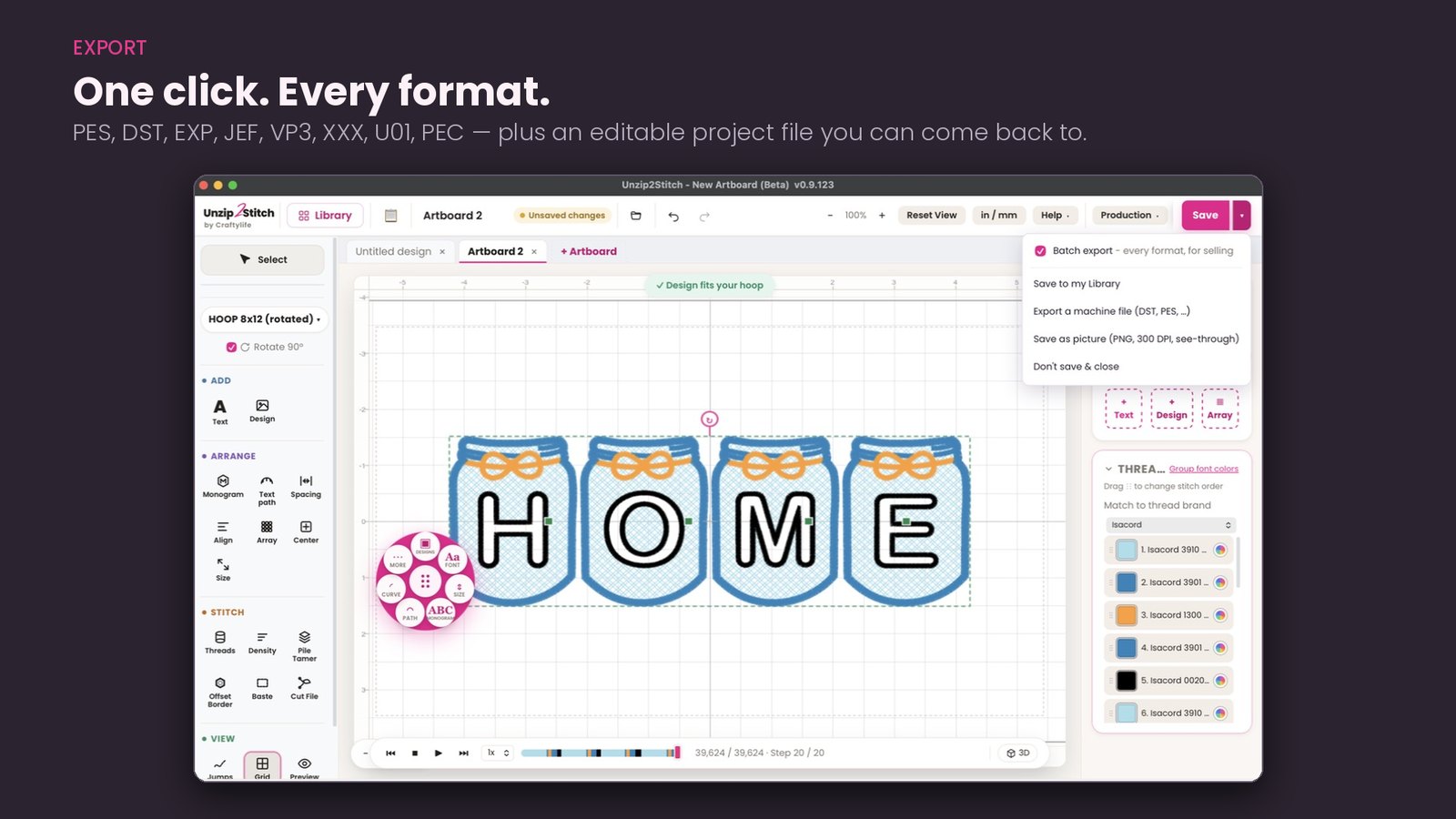
Every format, in one save
You do not need to know what a stitch file is called. Find your machine and Unzip2Stitch saves the right one.
| Your machine | The file it saves |
|---|---|
| Brother | PES |
| Baby Lock | PES |
| Janome | JEF |
| Husqvarna Viking | VP3 or HUS |
| Pfaff | VP3 |
| Bernina | EXP |
| Melco | EXP |
| Singer | XXX |
| Most commercial machines | DST |
And you only tell it once. When you set up Unzip2Stitch you tell it which machines you own, and it remembers. After that every design shows a For your machine button — click it and you get the right file. You never have to think about formats again.
Not sure which you have? Save it as DST — nearly every machine reads it.
A real Mac app, not a workaround
For years, embroidery software only worked on Windows. If you have a Mac, you were told to buy a copy of Windows and run it inside a pretend PC, or buy a second computer altogether.
Unzip2Stitch just works on a Mac. You download it and open it, the same as any other program. It works the same way on Windows, and both get the same updates on the same day. For the technically minded: it is a native app for Apple Silicon Macs (M1 and newer) on macOS 11 or later, signed and notarized by Apple. More about the Mac version →
Buy it once. Own it forever.
You pay once. There is no monthly fee, nothing to renew, and nothing stops working later. Your designs and your files stay yours.
$149 $249 early access
You are not buying from a stranger
I am Lorna. For eight years I have answered embroidery questions every day in Embroidery for Beginners, my Facebook group of more than 50,000 members. Unzip2Stitch was built out of what I watched people there struggle with.
My name is on the digitizing, on the software and on that group. If something goes wrong, you know exactly where to find me — and so do fifty thousand other embroiderers.
Questions people ask
Will it work with my machine and my computer?
What file does my machine need?
Does it run on a Mac?
Does it run on Windows too?
Finding and opening what I already own
Will it open the zip files I download from design shops?
I bought a design and I cannot find it. Can it help?
My embroidery files show as blank icons. Is that a problem?
Will it back up my library?
Fonts and lettering
Can I use the embroidery fonts I already bought?
Why does lettering take so long in other programs?
Can I put a name on a design I already bought?
- Open the design from your library. One of the ones already cataloged and organized for you — still sitting in its own folder, untouched.
- It goes onto the artboard. That is your working page, where you can see the design at its real size.
- Type the name. Use one of the embroidery alphabets you already own. Unzip2Stitch has organized those into typeable fonts, so you type the word instead of placing letters one at a time.
- Put it where you want it. Under the design, above it, curved around it. Size it, space it, recolor it.
- Check it fits your hoop, then save. It saves as one file, in the format your machine reads.
Your machine stitches it in one go — one hooping, one run. No stitching the design, unhooping, lining the name up by eye and hoping it sits straight.
How merging works, and why alignment matters · How the typed fonts work
What it does and does not do
Is this the same as Embrilliance Express?
Can it digitize my logo?
What can I actually change on a design?
- Recolor it, and match the threads to real brands so the screen matches the spool
- Sort the color order, so your machine stops four times instead of twenty
- Tune the density for your fabric
- Add a Pile Tamer background for towels and other plush fabrics, so the stitches sit on top instead of sinking into the pile
- Add lettering and merge designs together
- Make a cutting file for appliqué — it saves an SVG you send to your cutting machine, so the fabric shape is cut for you instead of trimmed by hand
- Resize it a little — up to about 10 percent, see below
- Check it fits your hoop before you stitch a thing
About resizing — there is a real limit, and the program keeps you inside it. A stitch file is not a picture. Every stitch in it was placed for one size, so a finished design can go up or down by about 10 percent and no more. That is true of every stitch file, from anyone, in any program.
Unzip2Stitch works out the density of the design you have open and keeps you within what that particular design will take — some will not even manage the full 10 percent. You get told before you stitch, instead of finding out when it puckers on the garment.
Anything bigger than that is not a resize at all — it needs the design digitized again from scratch, by a person. That is what my digitizing service is for, and it is honest work rather than a button.
Is it hard to learn?
Buying it
Is it a subscription?
What does early access mean?
The program is stable and does what it says. You can install it today and get straight to work — finding your designs, typing with the fonts you own, and sending files to your machine.
Early access means we are not finished. We are only just beginning. You pay $149 instead of $249, you keep it, and you keep the updates that follow — so the program you buy today quietly gets better around you.
You get a say in what comes next. If you think of a feature that would make your stitching easier, email me at lorna@craftylifeboutique.com. Some of the best things in the program arrived exactly that way, and yours may well turn up in a future update.
If you hit a hiccup, tell me. There is a Report a problem button right inside the software, so you never have to go hunting for an address. Early access means you may meet the odd rough edge, and hearing about it is how it gets smoothed out.
This software is community driven. It grew out of my Facebook group for beginners — out of watching what our members actually struggled with, month after month. I am committed to not making you sit through a course just to work out how to import your fonts. I want you stitching.