
Your fonts. Your choice. Freedom to create.
You bought your embroidery alphabets because you loved the lettering. Unzip2Stitch lets you type with those alphabets without needing a BX version.
Use alphabets from any digitizer who supplies a supported stitch-file format, regardless of which digitizing software created them.
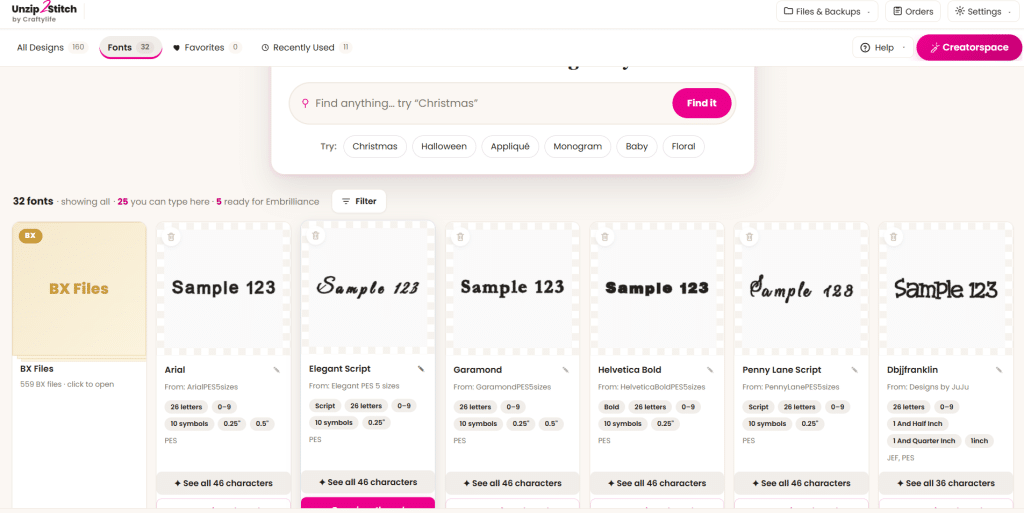
See your fonts. Choose your alphabet. Start typing.
Try the Free Lettering EditionExplore the Full Studio — $179
Watch the typing tool in action
See how Unzip2Stitch brings your alphabets into a visual font library and lets you use them for lettering.
Watch the Unzip2Stitch lettering demonstration on YouTube
Your favorite digitizer doesn’t need to offer BX
An embroidery alphabet is a collection of stitched letters. Those letters can be created in different digitizing programs and supplied in formats such as PES or JEF.
Unzip2Stitch recognizes supported alphabet files and makes them available for typing. The digitizer doesn’t need to create a BX package for you.
Choose the lettering you love, from the digitizers you love.
AlphaTricks asks you to map. Unzip2Stitch recognizes your alphabet.
You bought an alphabet to make something—not to spend your afternoon assigning letters to keyboard keys.
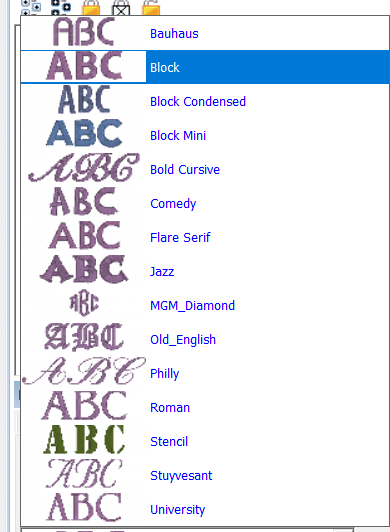
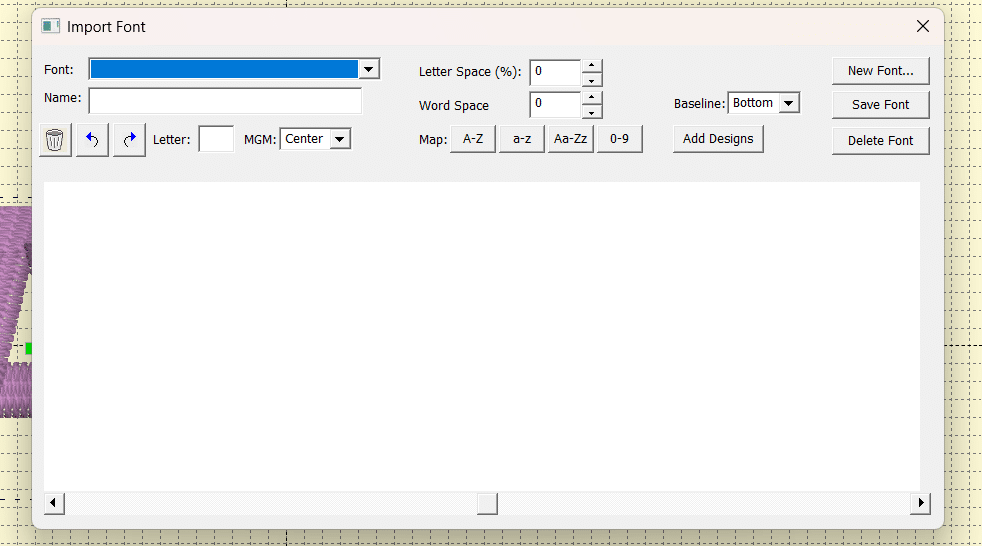
AlphaTricks provides an import-and-mapping workflow that turns individual letter designs into a keyboard font. It includes shortcuts for letters arranged in sequence, with individual assignments available for other arrangements.
Unzip2Stitch automatically recognizes supported alphabets, identifies their letters, and groups their available sizes. Choose your alphabet and start typing.
Compare the lettering workflow
| Feature | Unzip2Stitch Free Lettering Edition | Embrilliance AlphaTricks |
|---|---|---|
| Use purchased stitch-file alphabets for typing | Yes | Yes |
| Prepare an alphabet for typing | Automatic recognition of supported alphabet files | Import and map letters, with mapping shortcuts |
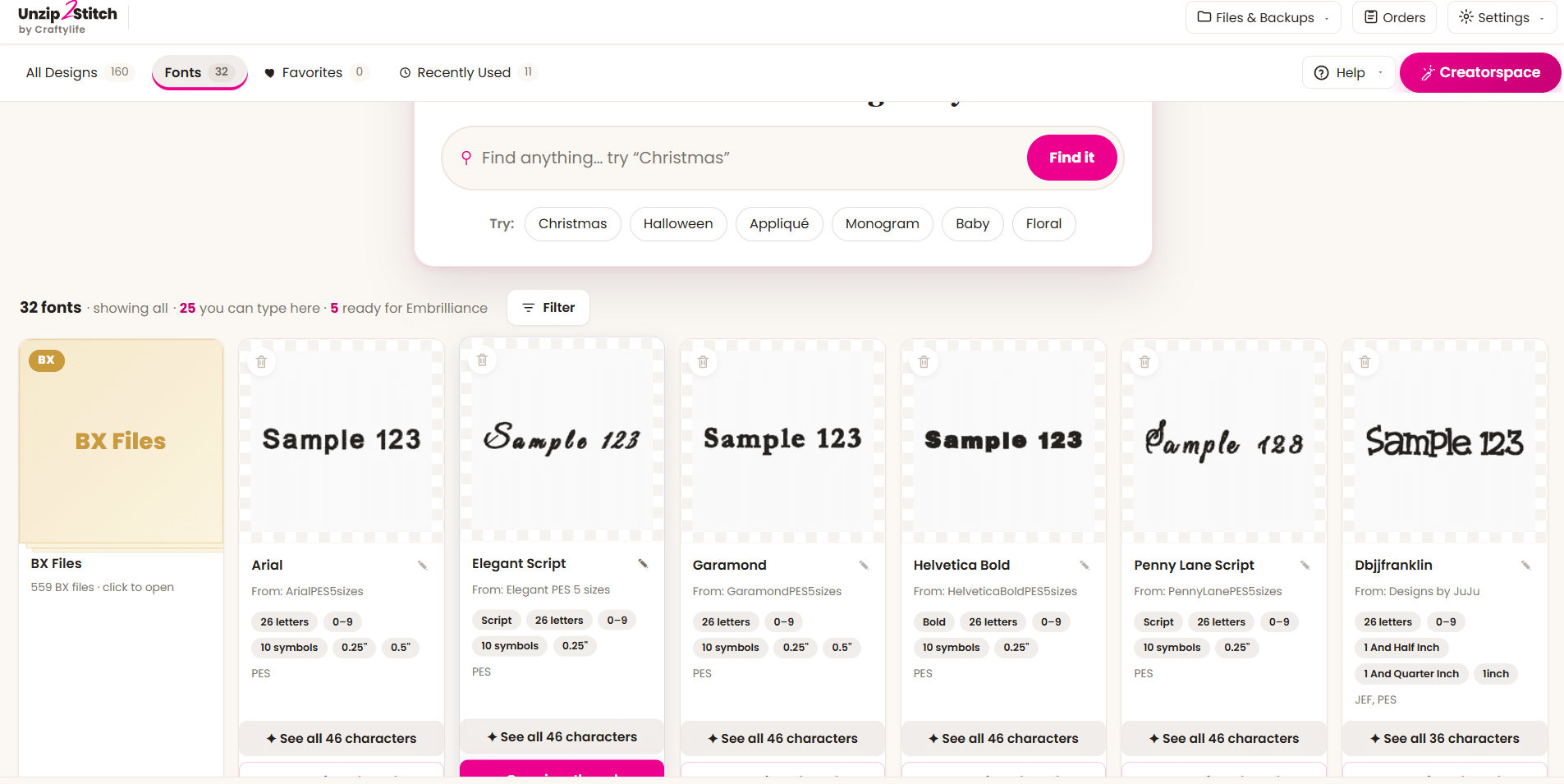
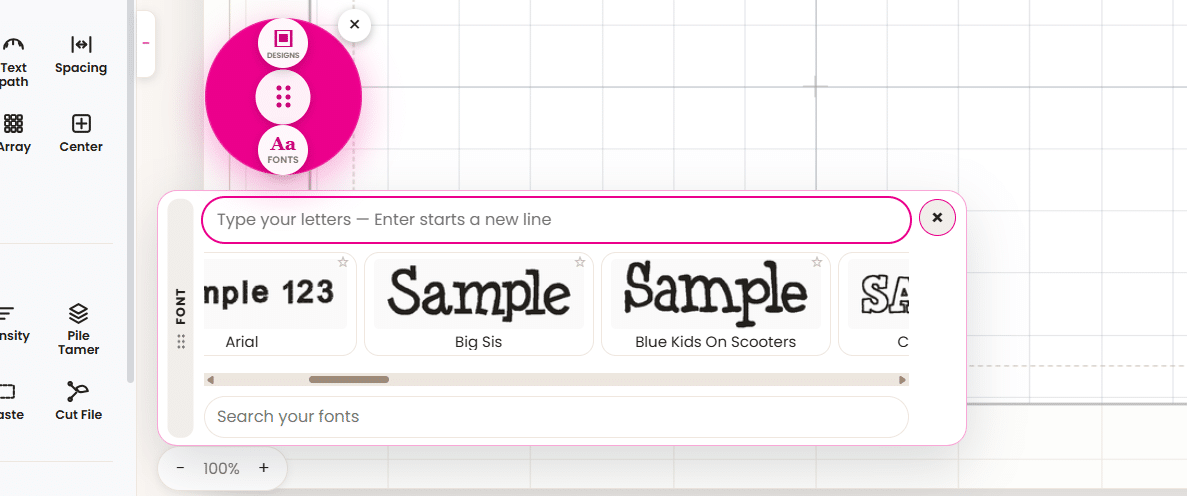
| Browse your fonts visually | Font cards with letterform previews, sizes, and character information | Font Library with viewing and management tools |
| Need a BX version of the alphabet? | No | No—AlphaTricks can import stitch-file alphabets |
| Price | Free | $105.56 sale price; normally $119 |
AlphaTricks price checked October 23, 2026. Prices and promotions may change. This compares lettering features, not every capability of either product.
See the difference
Embrilliance: font selection and mapping
Unzip2Stitch: your alphabets, ready to explore
See what you own before buying it again
Beautiful alphabets are easy to collect—and easy to lose inside download folders.
Unzip2Stitch gives your collection a visual home. Find the script, block lettering, or playful alphabet you already purchased without opening folders one by one.
Before buying another font, check your library. The lettering you need may already be yours.
Thumbnail previews help you browse. A searchable library helps you find.
Embrilliance Thumbnailer displays embroidery previews inside Windows File Explorer or Mac Finder. It helps you see what a file looks like without opening it.
The full Unzip2Stitch studio brings your designs together in a searchable picture library.
Search across your selected folders and ZIP files, including nested ZIPs. Narrow your choices by hoop size, technique, or subject. See a design’s size, stitch count, and color count before opening it.
| What you want to do | Embrilliance Thumbnailer | Unzip2Stitch Full Studio |
|---|---|---|
| See embroidery pictures | Previews in File Explorer or Finder | Design cards inside Unzip2Stitch |
| Browse your collection | Through your operating system’s folders | Across your selected folders in one library |
| Find a suitable project | Use your operating system’s browsing tools | Search and filter by hoop size, technique, or subject |
| Work with ZIP collections | Check the product’s supported workflow | Searches ZIP files, including nested ZIPs |
| Personalize the design | Requires separate editing software | Add lettering and combine designs in the studio |
Find something you own that fits the project you want to make—then start creating.
Lettering is only the beginning
The full studio connects finding your designs with preparing your next project.
Find it
See your collection as pictures. Search for a design and narrow the results to what fits your project.
Make it yours
Add a name, build a monogram, combine designs, and arrange the pieces inside your hoop.
Save and stitch
Save in your machine’s format. Keep an editable project so you can return and make changes.
Watch the Full Studio Overview
Already own BX fonts?
Unzip2Stitch can catalog your BX files, but it cannot use them for typing.
Check your original alphabet download. If it includes a supported stitch-file version, such as PES or JEF, use that version for lettering in Unzip2Stitch.
Embrilliance Express remains an option for typing with BX-installed fonts. Unzip2Stitch gives you the freedom to use supported stitch-file alphabets without requiring that BX package.
Your files stay yours
Your original designs stay where you keep them.
Unzip2Stitch catalogs the embroidery files on your computer. It does not move, rename, or upload them.
It works with existing embroidery designs and alphabets. It does not digitize original artwork from scratch.
What Unzip2Stitch users say
“It reminds me of Cricut Design Space — there’s nothing user-friendly the way yours is.”
— an Unzip2Stitch user
“Within a few minutes I could tell it’s AMAZING — easy to get around, and it doesn’t bog down your computer.”
— an Unzip2Stitch user
Start with the alphabets you already own
Free Lettering Edition — $0
Explore your visual font library and type with supported stitch-file alphabets.
Download the Free Lettering Edition
Full Unzip2Stitch Studio — $179
Introductory price, normally $249.
One-time purchase. No subscription. Updates included.
Get your searchable design library alongside the tools to personalize, combine, and prepare projects for stitching.
Already using the free edition? Your activation code unlocks the full studio in the same app.
Computer requirements
- Windows: Windows 10 or 11, 64-bit.
- Mac: Apple Silicon, M1 or newer, running macOS 11 or later.
30-day software refund policy
Email support@craftylifeboutique.com within 30 days of purchase to request a refund. Your software license will be deactivated when the refund is issued.
Built by an embroiderer
I’m Lorna, owner of Craftylife Boutique and creator of Unzip2Stitch.
I built this software around problems I watched embroiderers face: designs they couldn’t find, alphabets they struggled to use, and purchases they forgot they already owned.
Unzip2Stitch helps you see your collection, use more of what you purchased, and get on with creating.
Your fonts. Your choice. Your next project.
Try the Free Lettering EditionExplore the Full Studio — $179
This comparison is written by the creator of Unzip2Stitch. Embrilliance screenshots show version 1.176.1; current interfaces may differ. Embrilliance product information was checked against its official AlphaTricks information, mapping documentation, and Thumbnailer information.